1
Access Instagram profile information
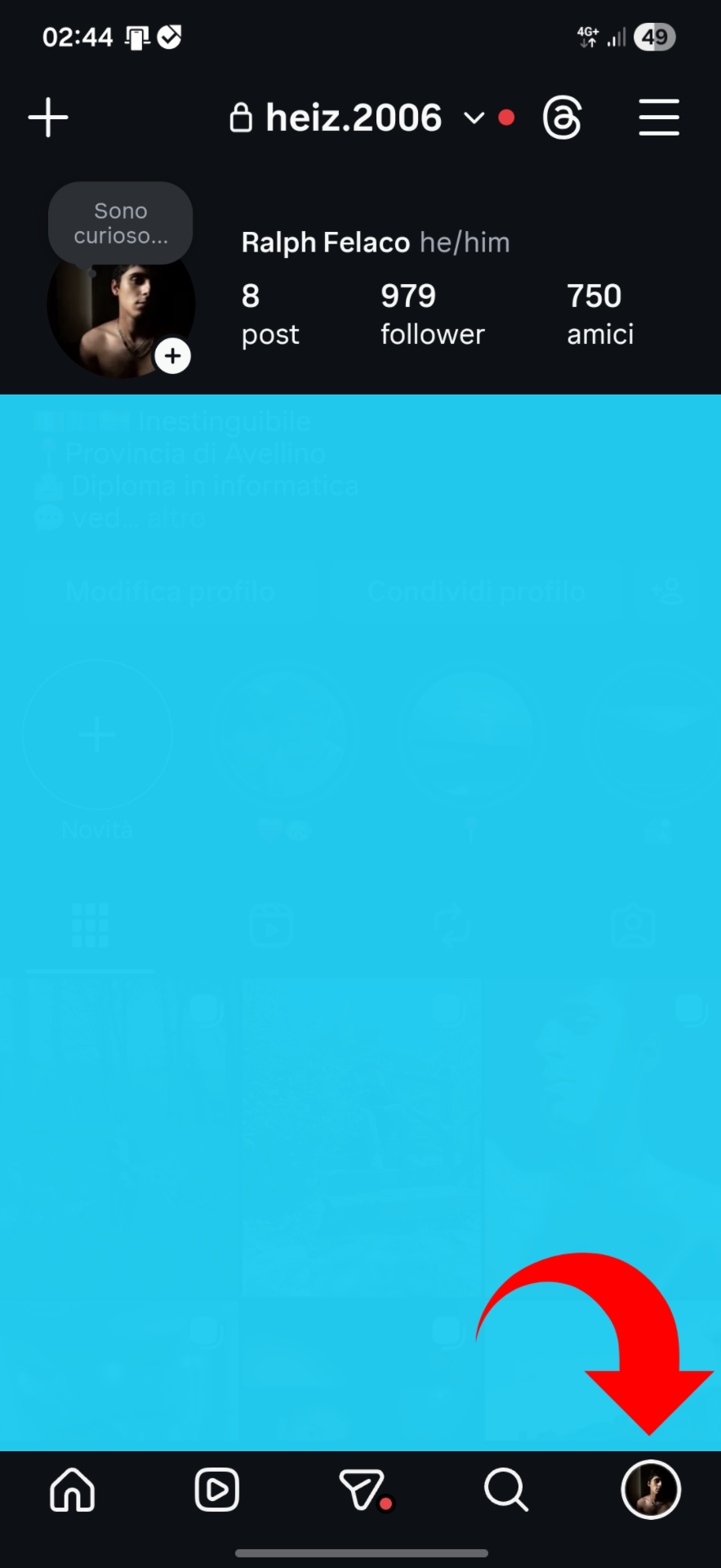
Open the Instagram app
- 1: Tap your profile icon (bottom right)
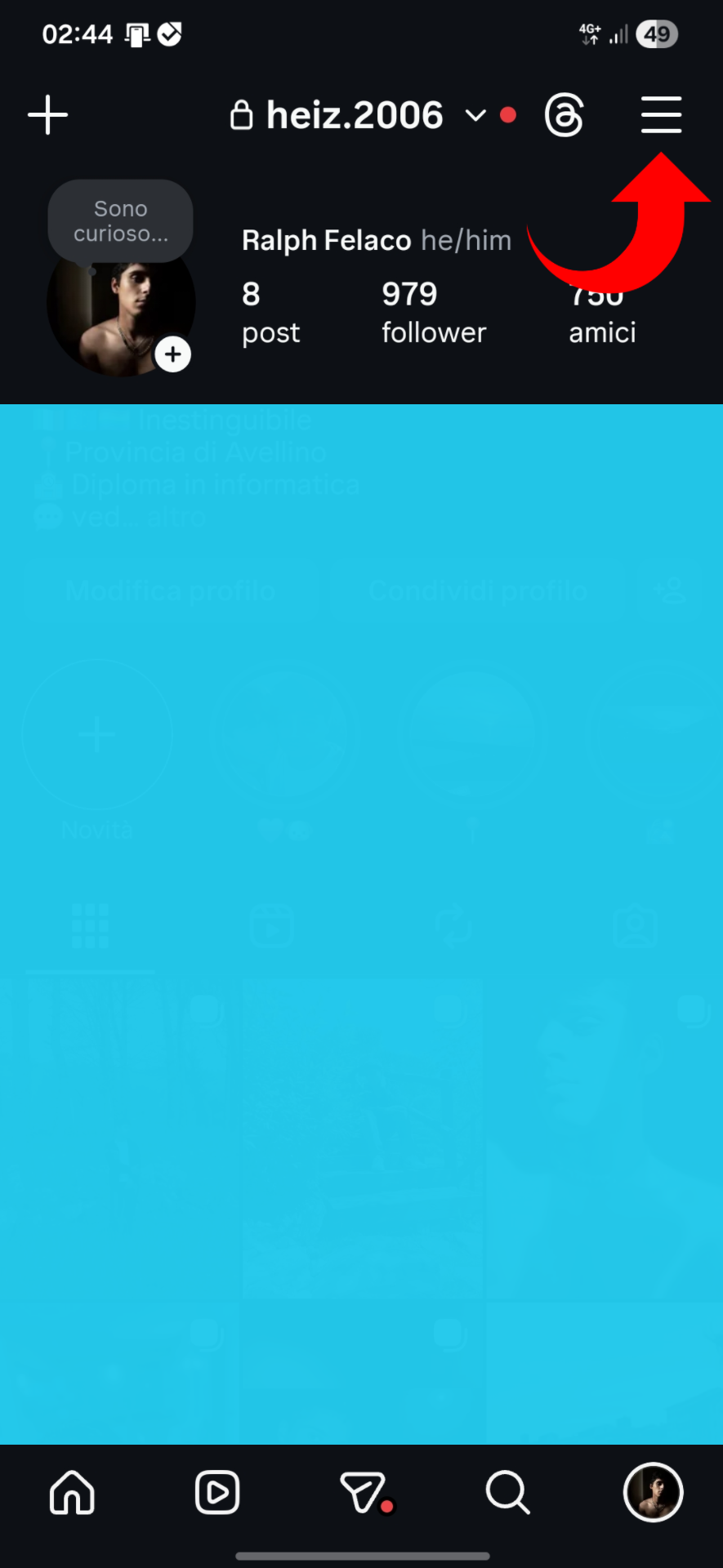
Open settings
- 2: Tap the menu icon (top right)
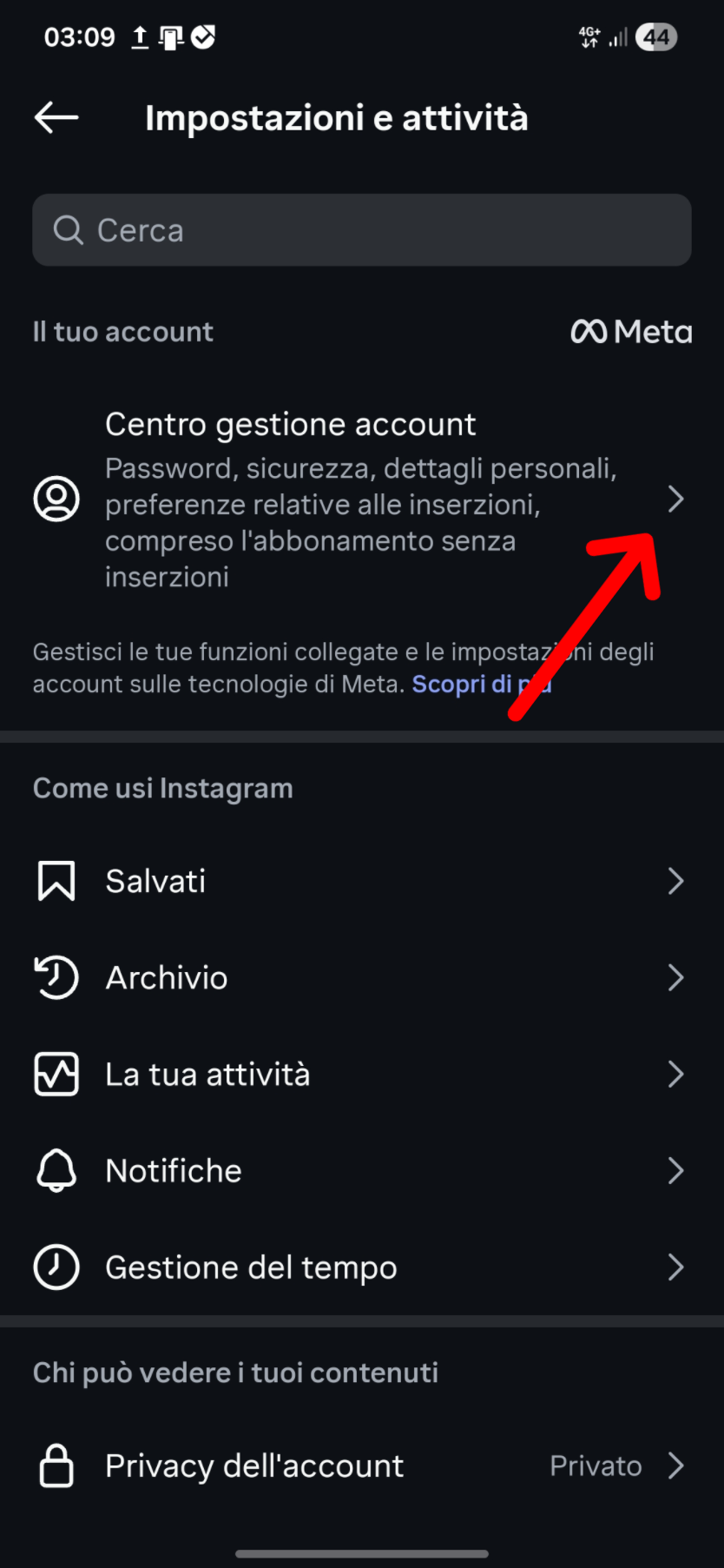
Go to Meta Account Center
- 3: Tap "Accounts Center"
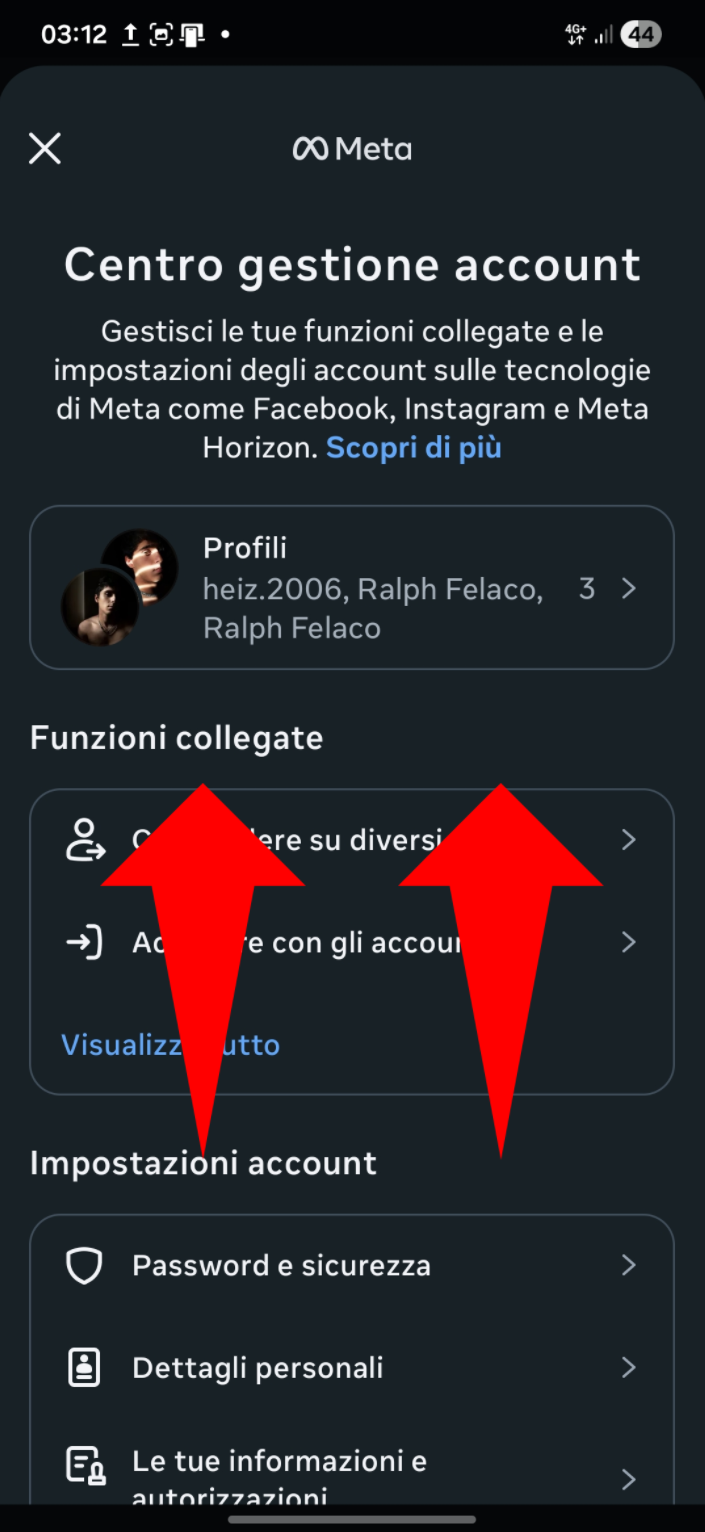
Find the right section
- 4: Scroll to "Your information and permissions"
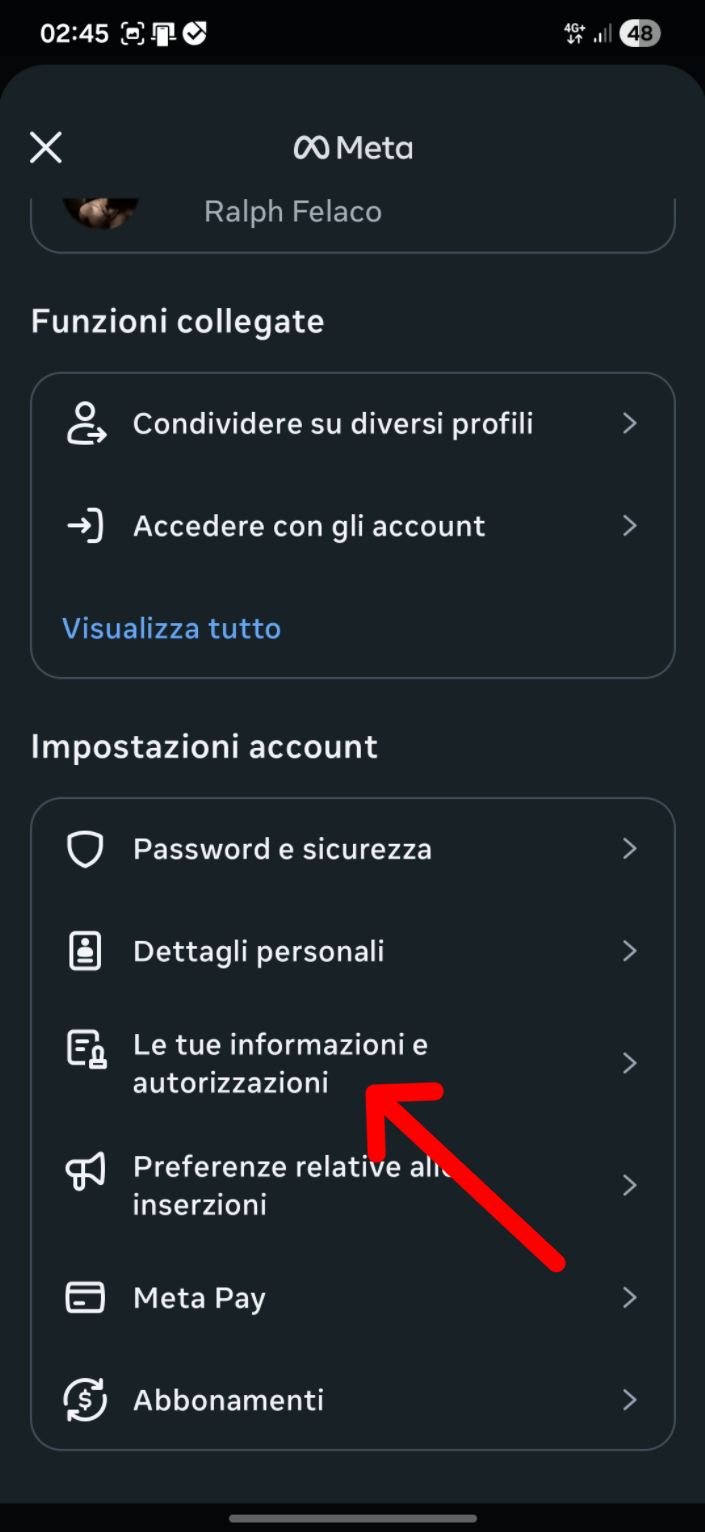
Section found
- 5: Tap on "Your information and permissions"
2
Request the download of your data
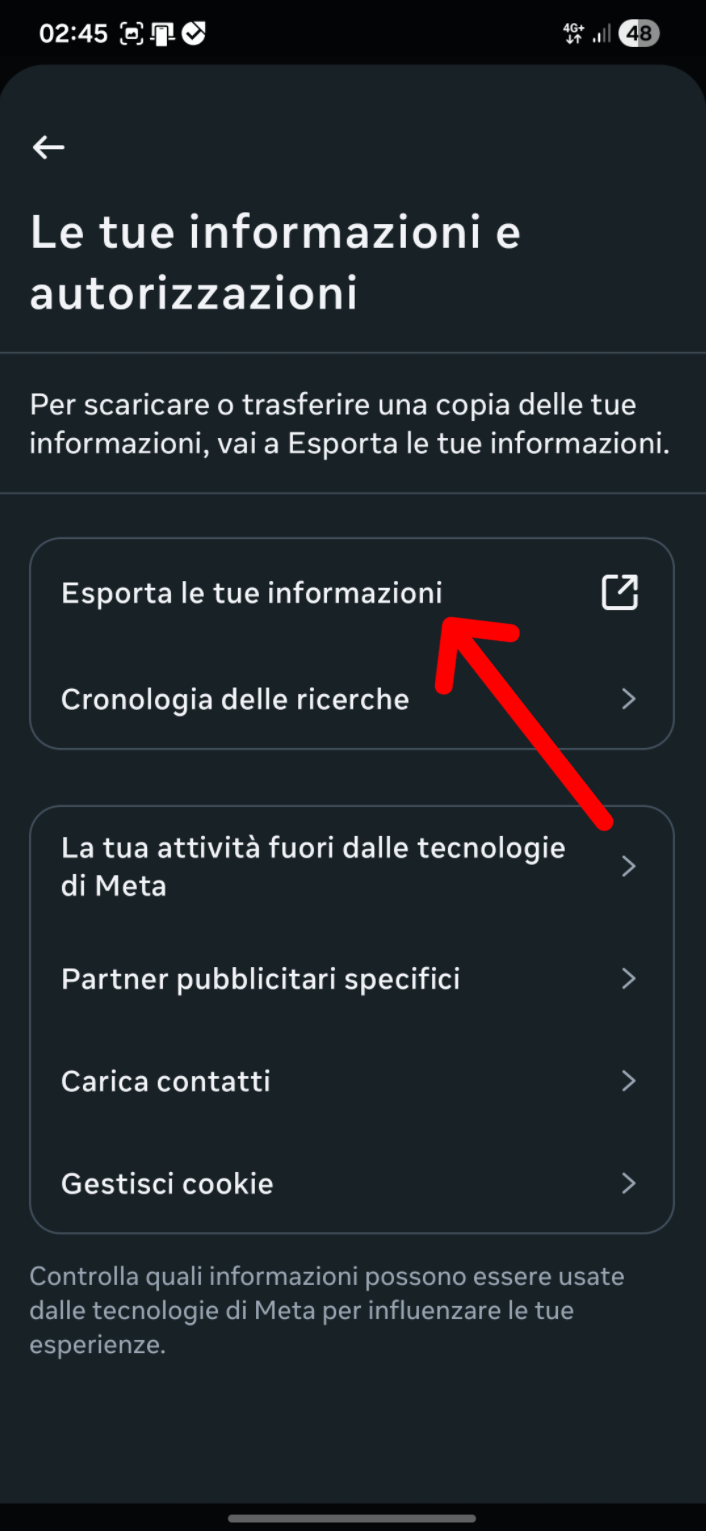
Open the export section
- 1: Tap "Download your information"
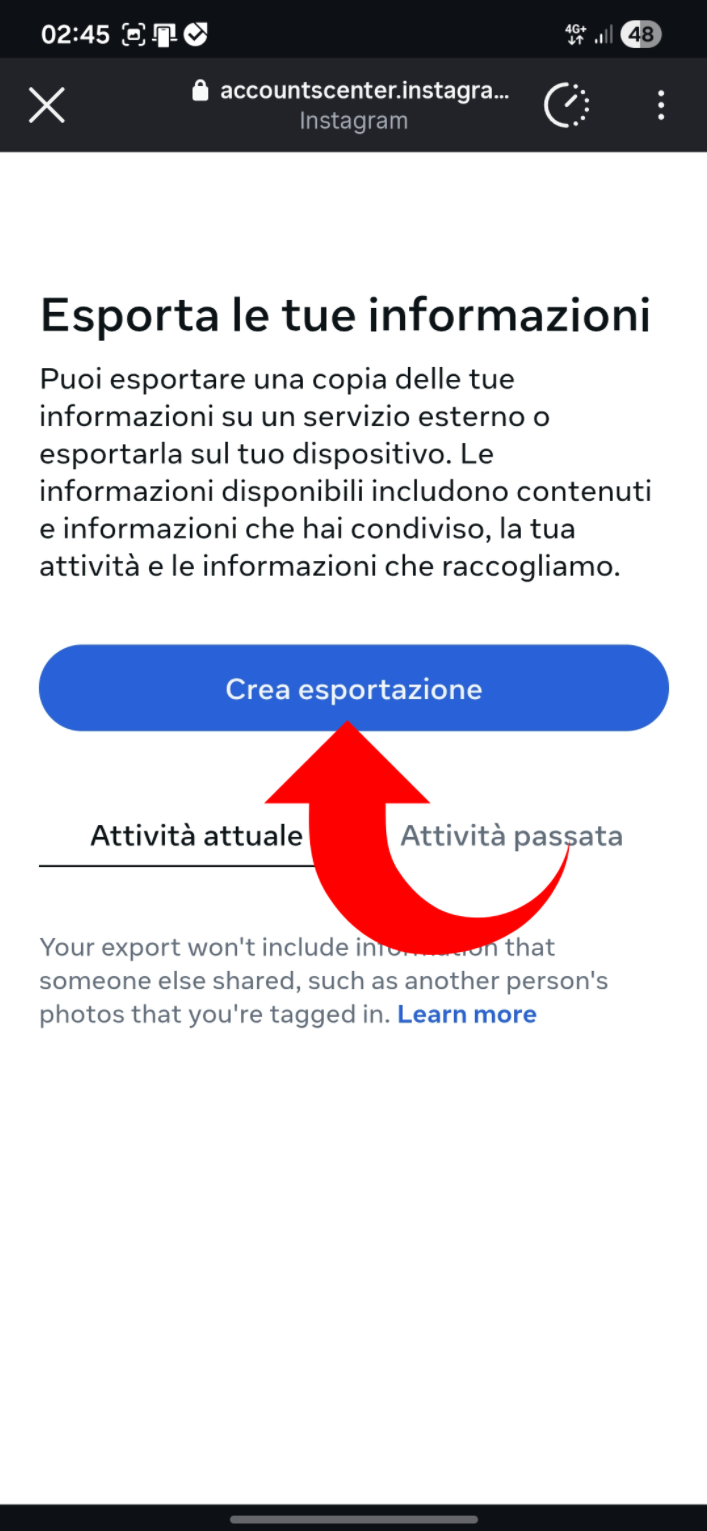
Start the request
- 2: Tap "Create export"
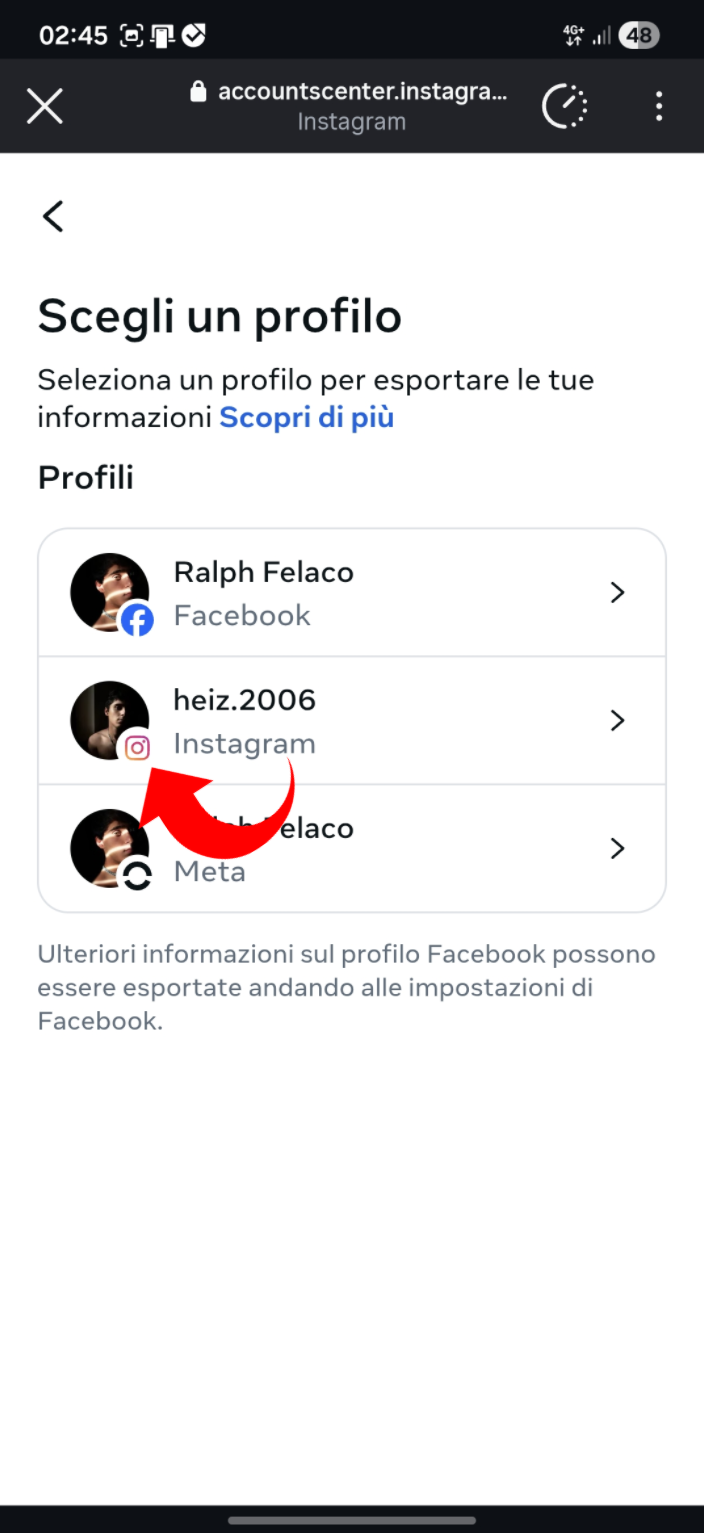
Choose the profile
- 3: Tap your Instagram profile
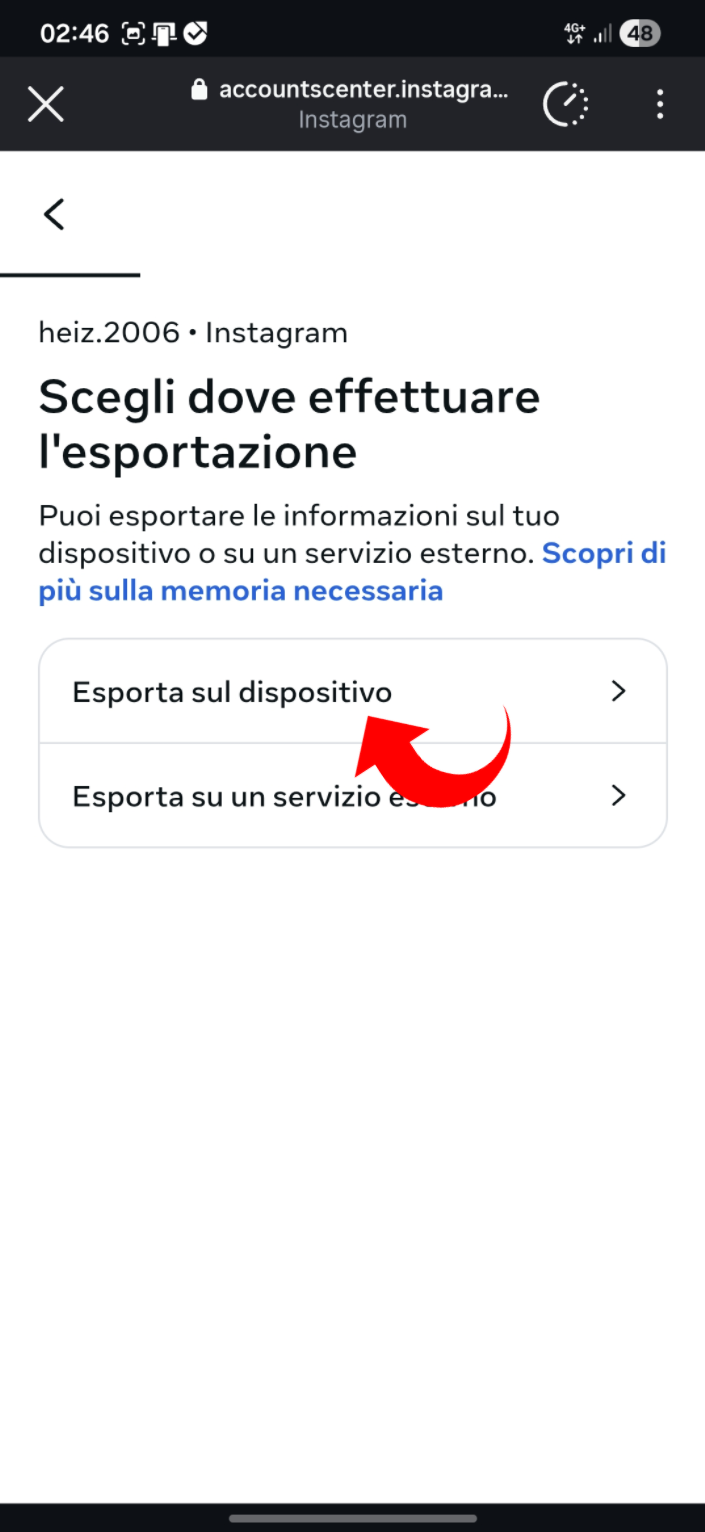
Choose destination
- 3: Tap "Export to device"
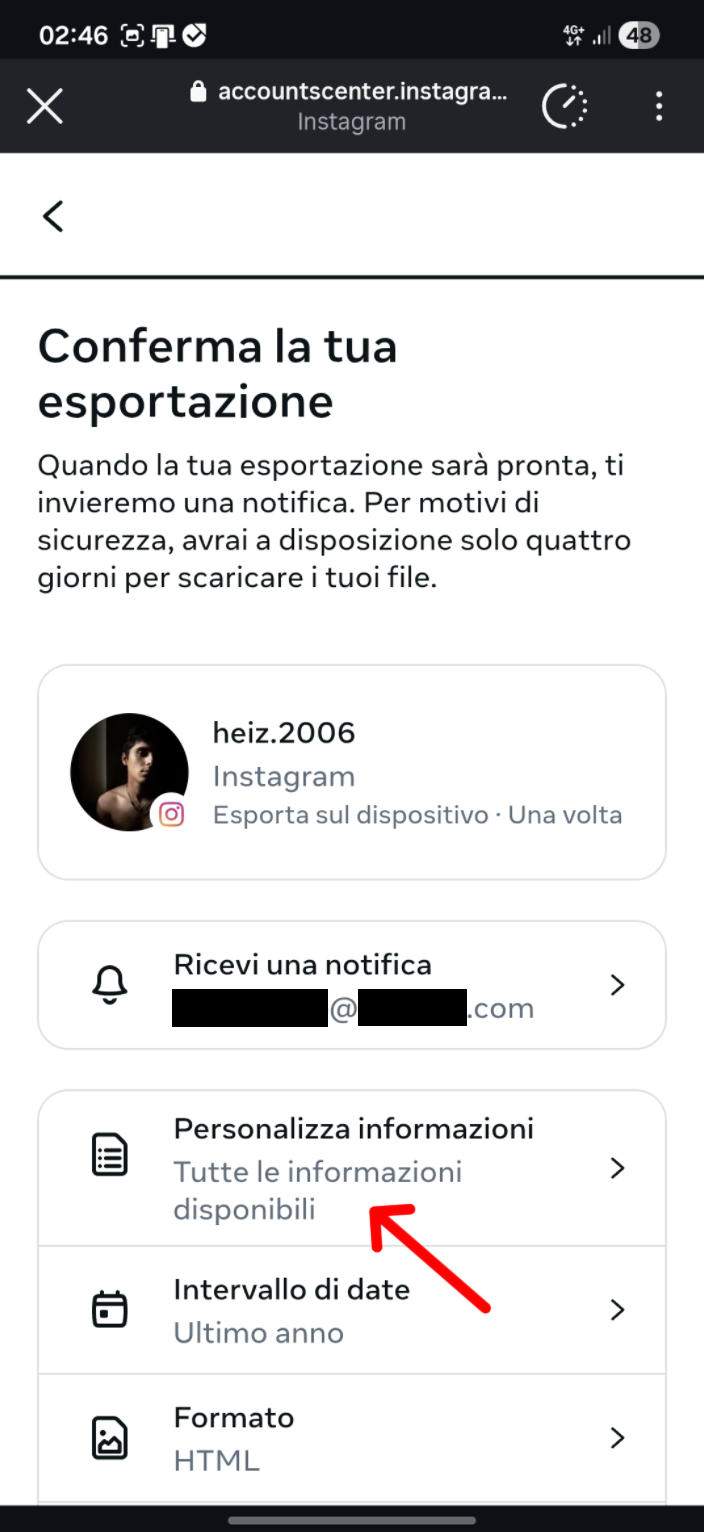
Customize data
- 4: Tap "Customize information"
Select the data
- 5: Keep only "Followers and following" selected
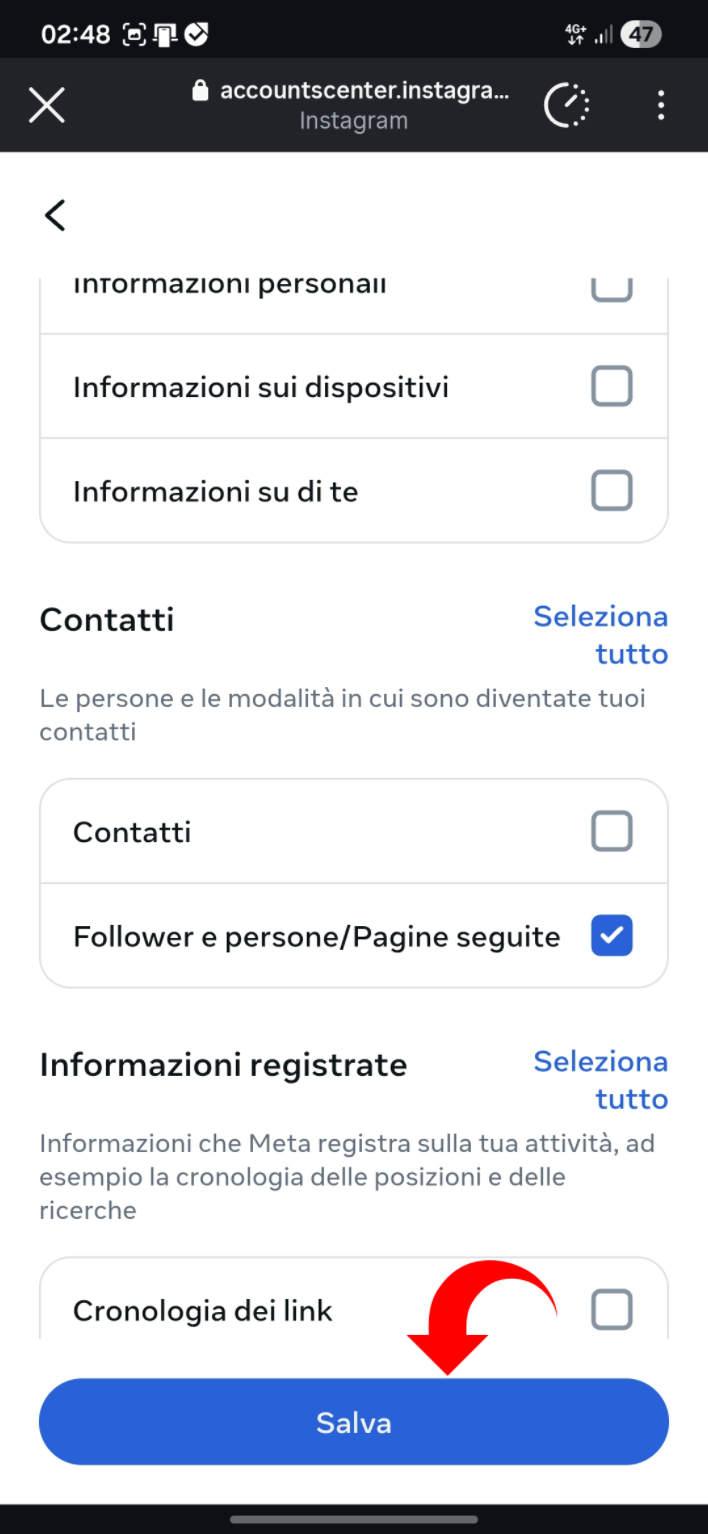
Verify selection
- 6: Ensure only the requested data is selected
- 7: Tap "Save"
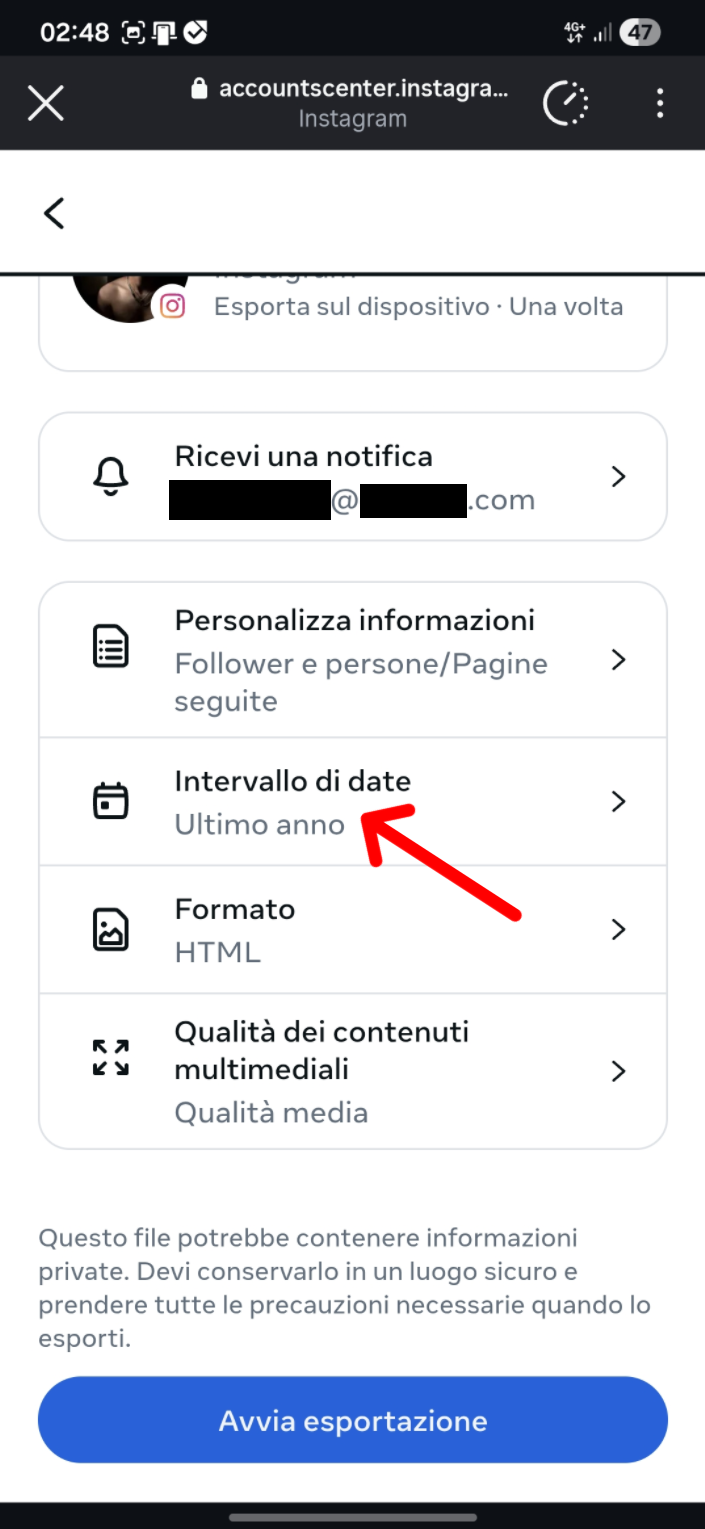
Set date range
- 8: Tap "Date range"
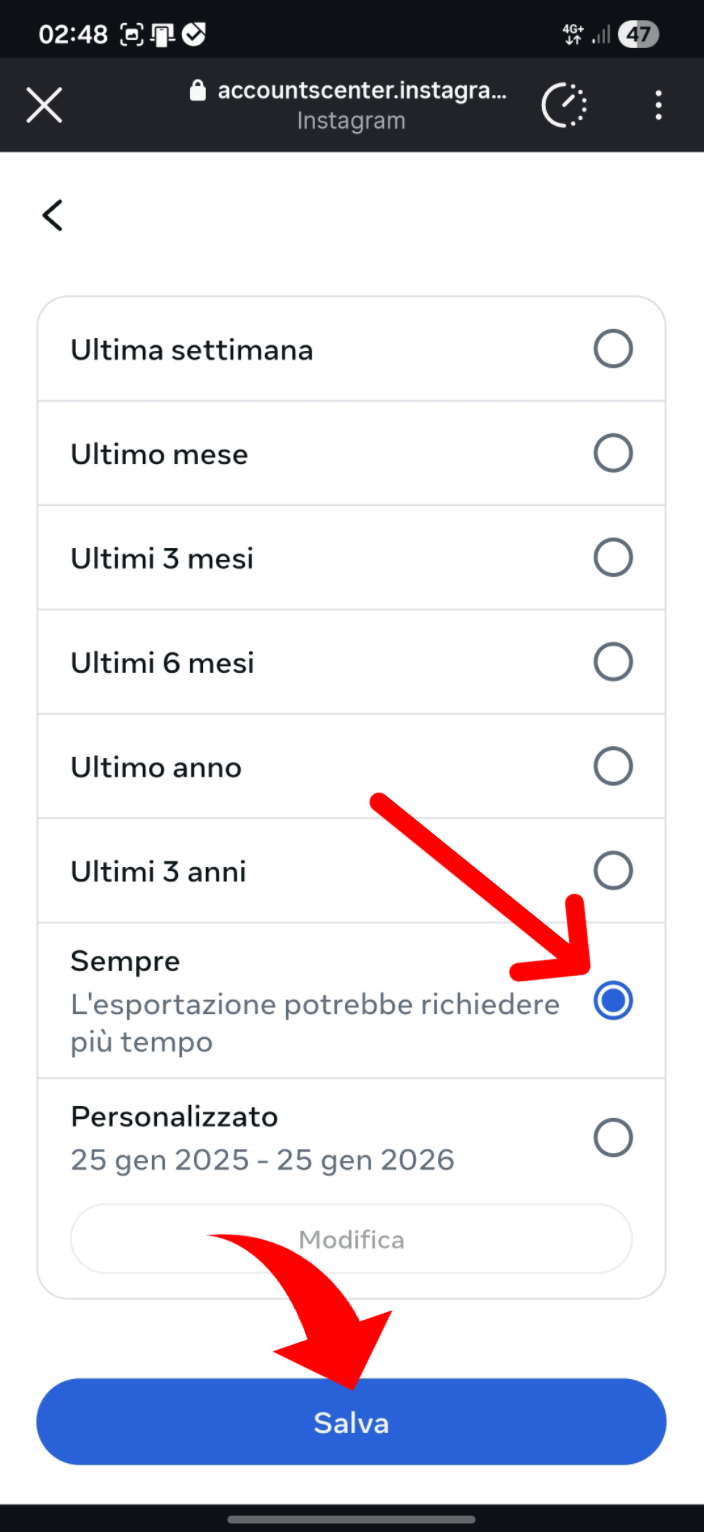
Choose All time
- 9: Tap "All time"
- 10: Tap "Save"
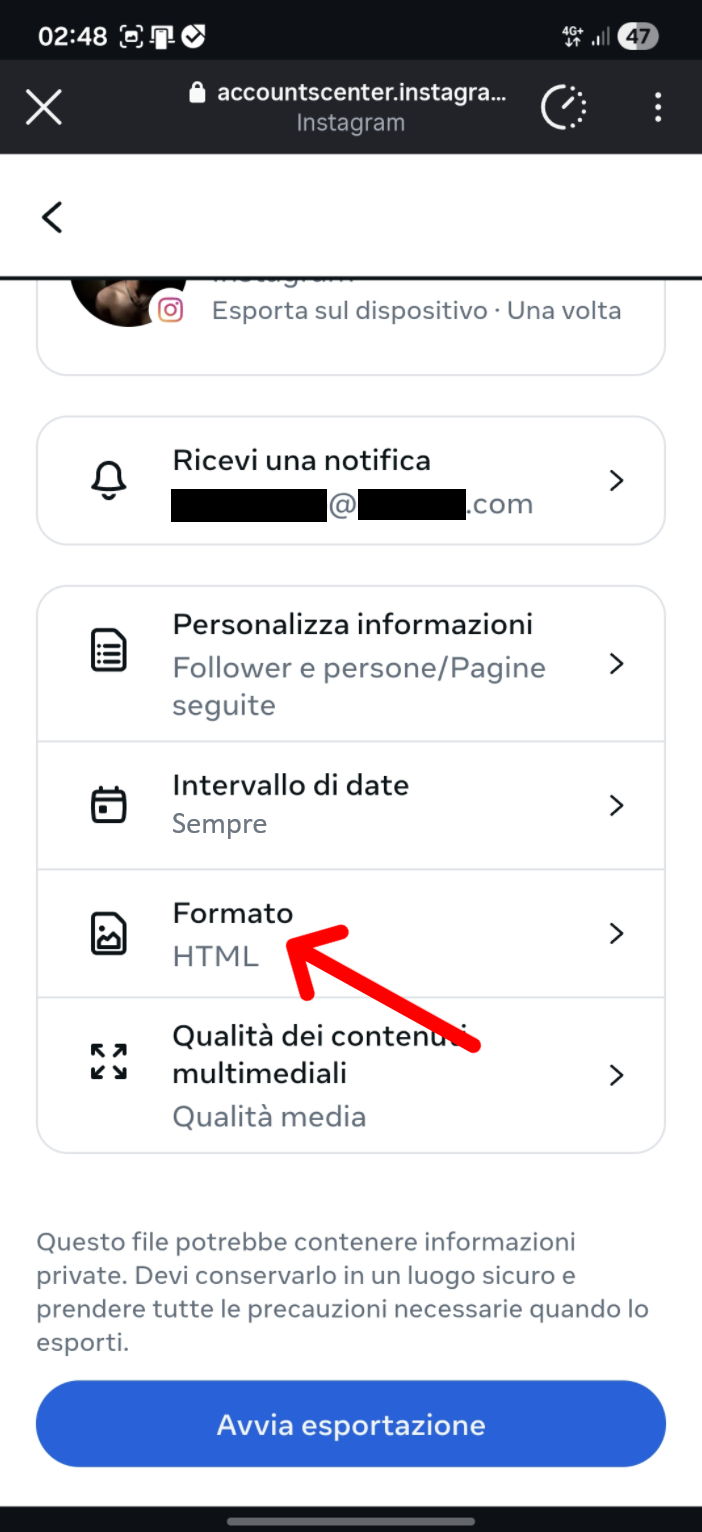
Change format
- 11: Tap "Format"
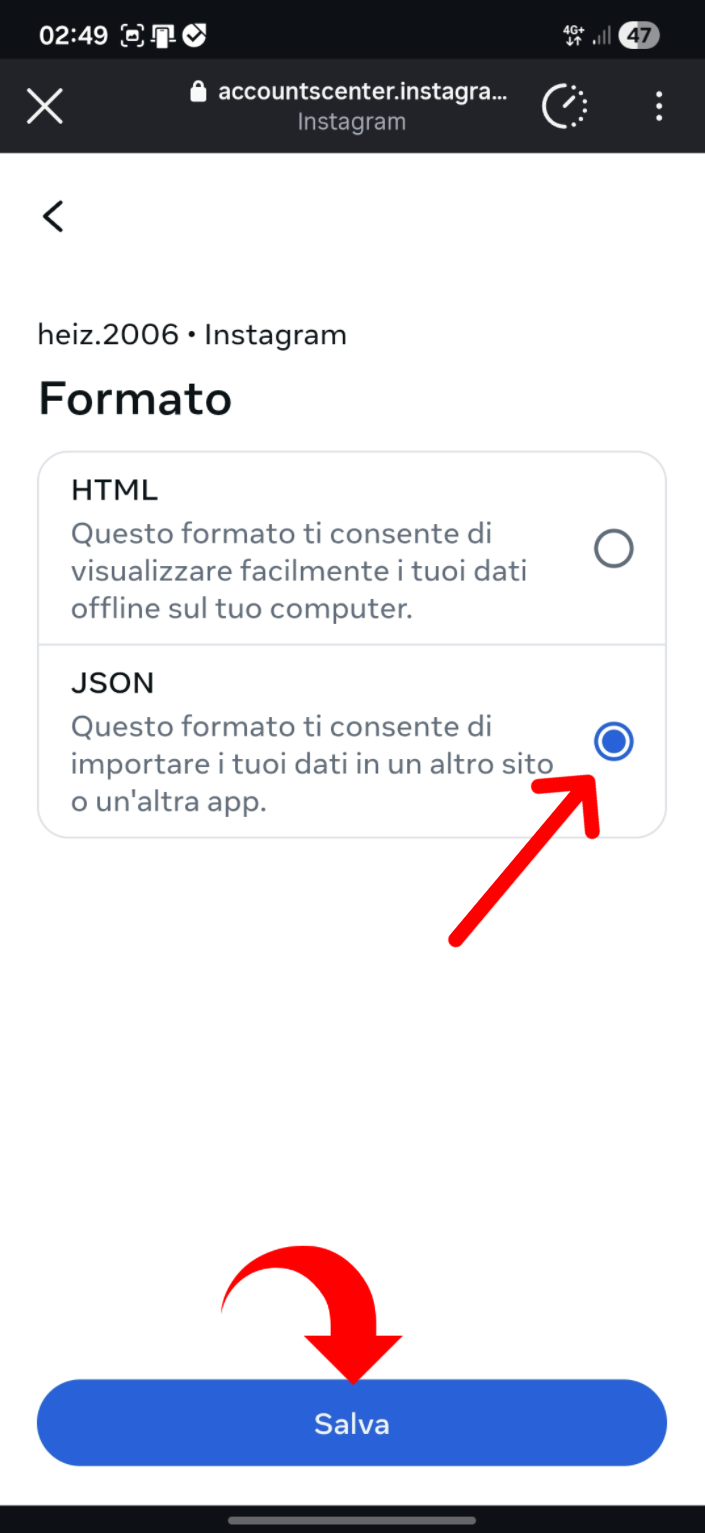
Select JSON
- 12: Select "JSON"
- 13: Tap "Save"
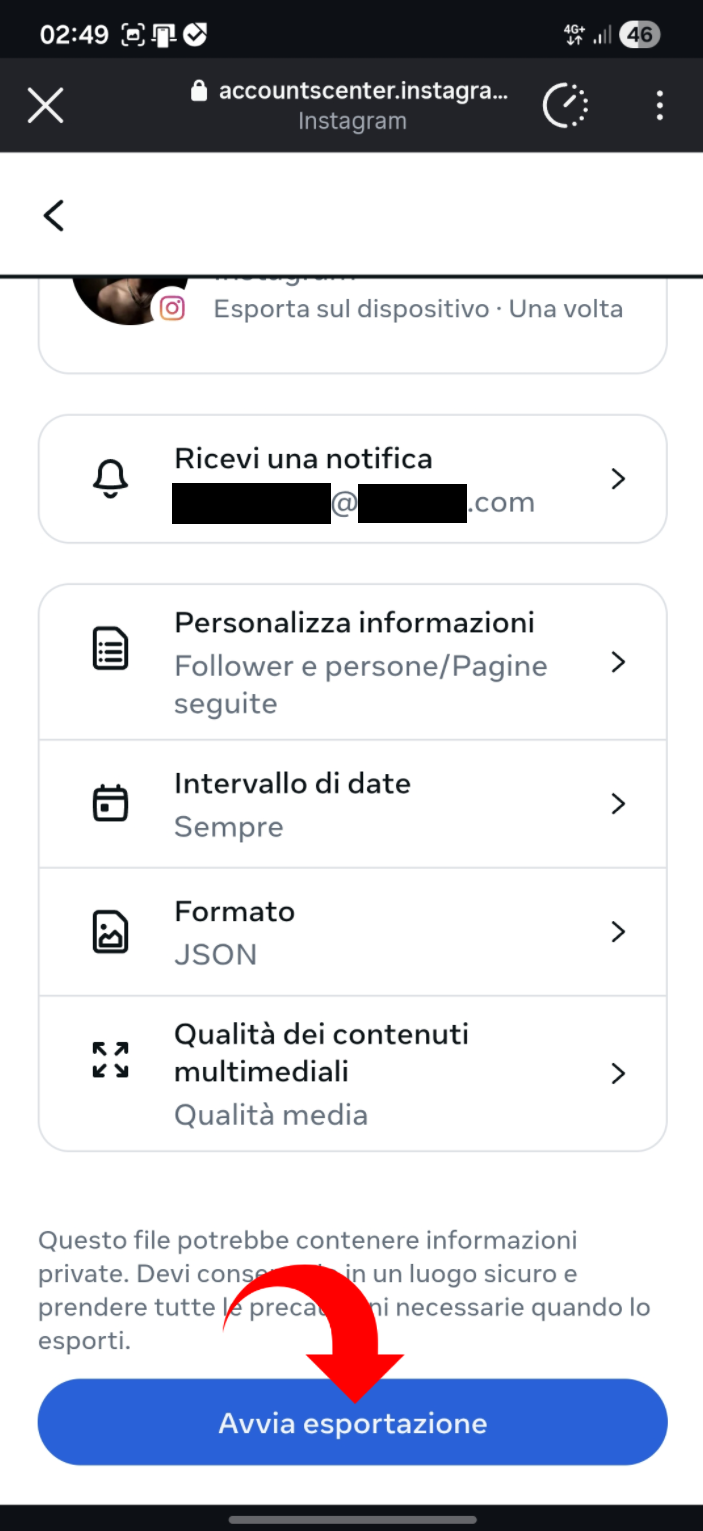
Start export
- 14: Tap "Start export"
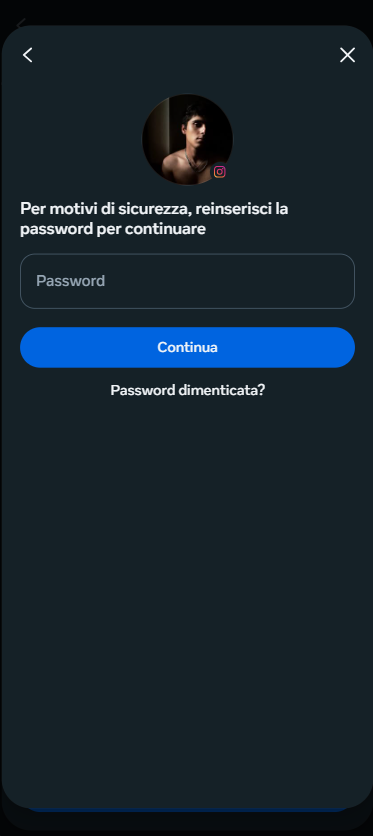
Confirm with password
- 15: Enter your Instagram password
- 16: Tap "Continue"
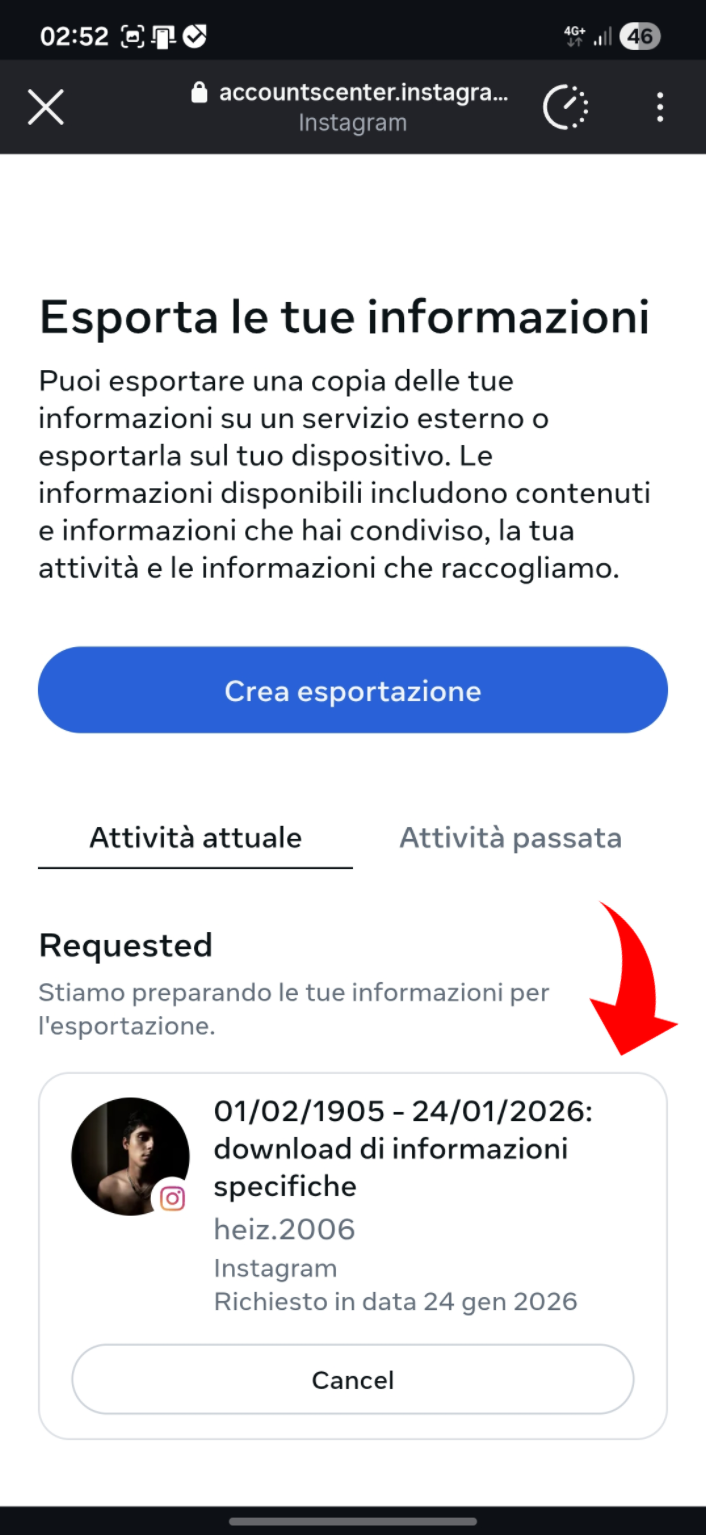
Wait for the email
- 17: You will receive an email when the export is ready
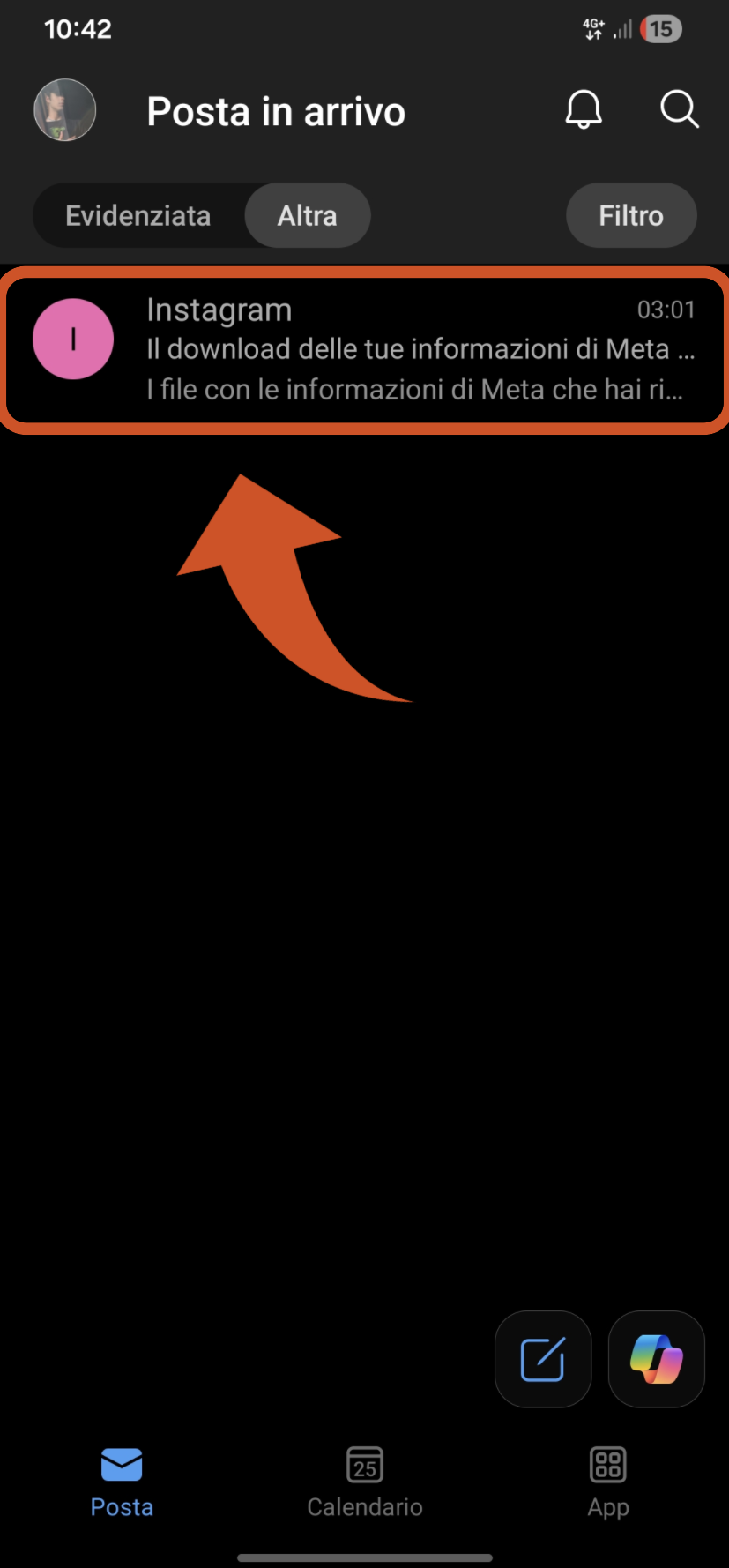
Check your inbox
- 18: Look for the Instagram email that informs you the export is ready
- 19: Return to the Instagram app "Download your information" to proceed with the download
Re-open Instagram
- 20: Tap the profile icon
Open settings
- 21: Tap the menu icon
Accounts Center
- 22: Tap "Accounts Center"
Find the section again
- 23: Scroll to "Your information and permissions"
Enter the section
- 24: Tap "Your information and permissions"
Open exports
- 25: Tap "Download your information"
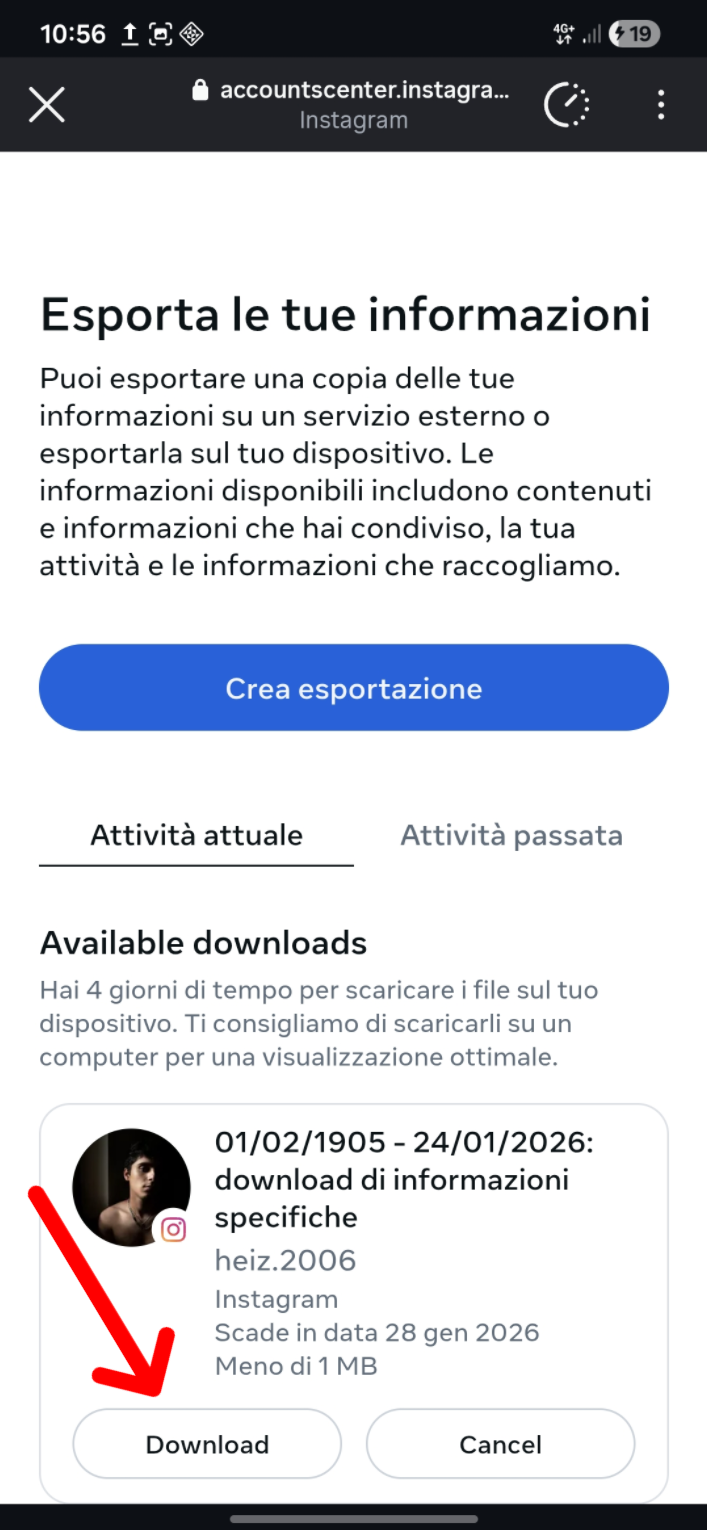
Download the ZIP
- 26: Tap "Download" on the requested export
Confirm password
- 27: Enter your password for the download
- 28: Tap "Continue"
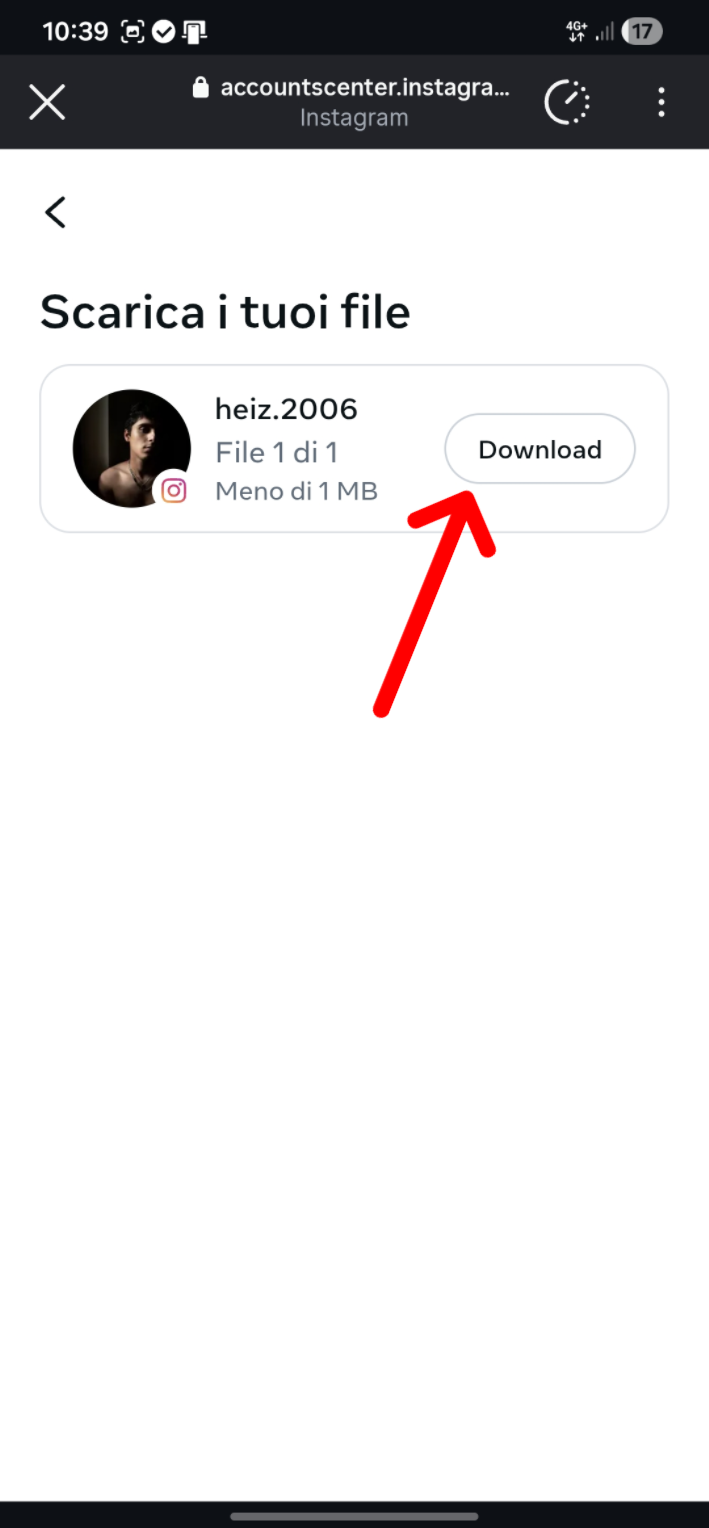
Download the ZIP file
- 29: Tap "Download"
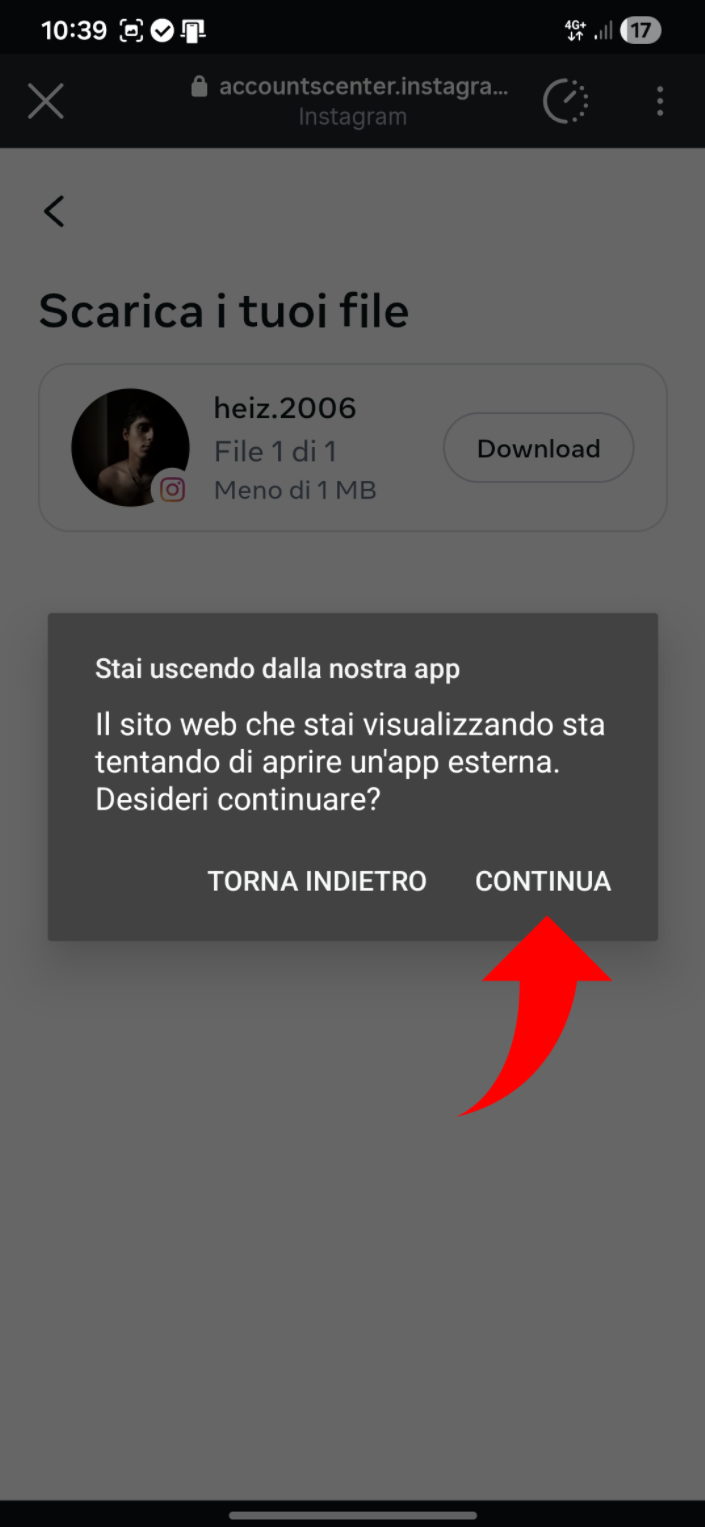
Complete via browser
- 30: Tap "Continue" to open the browser
- 31: Confirm the download if prompted
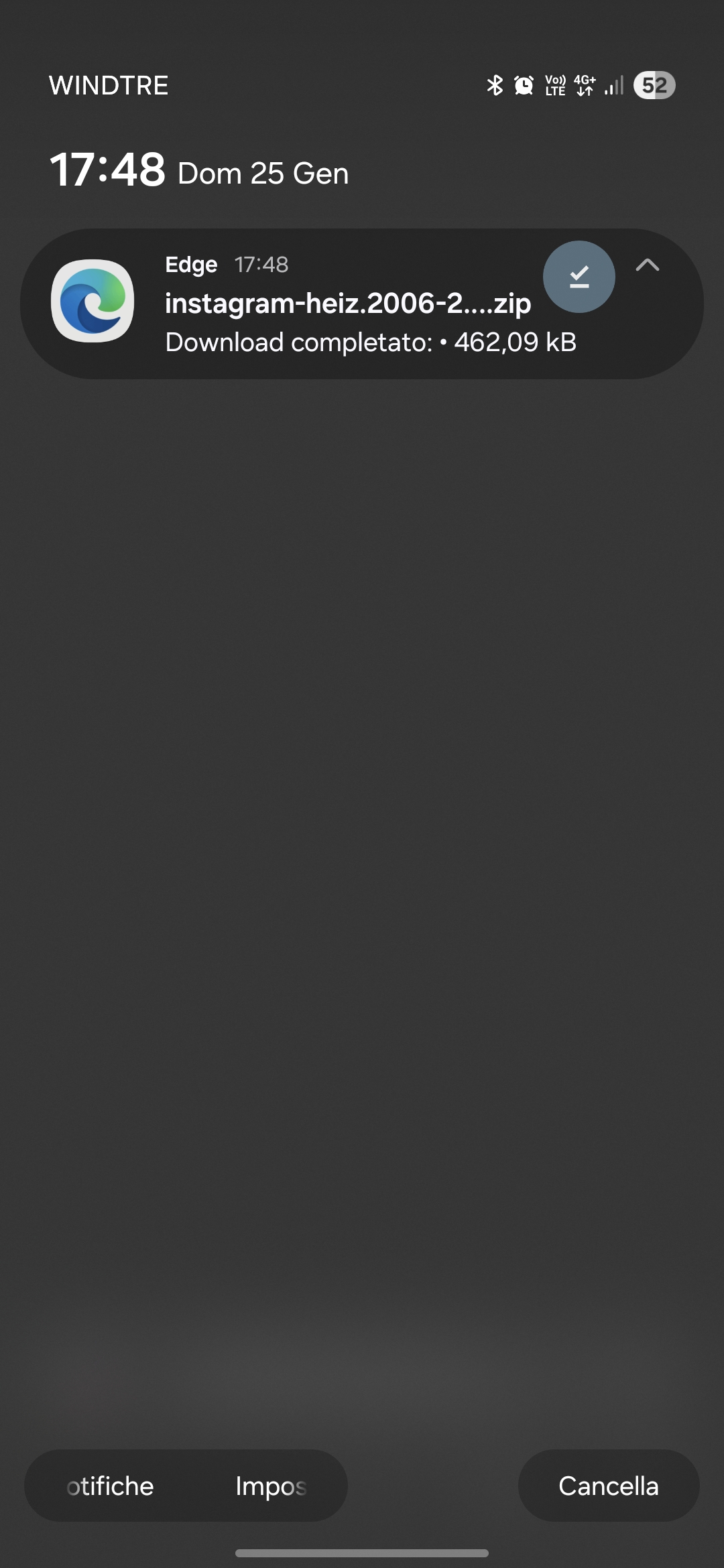
Verify the download
- 32: Check your browser notifications
- 33: Confirm the ZIP is in your Downloads folder
3
Open Reciprocity Gap
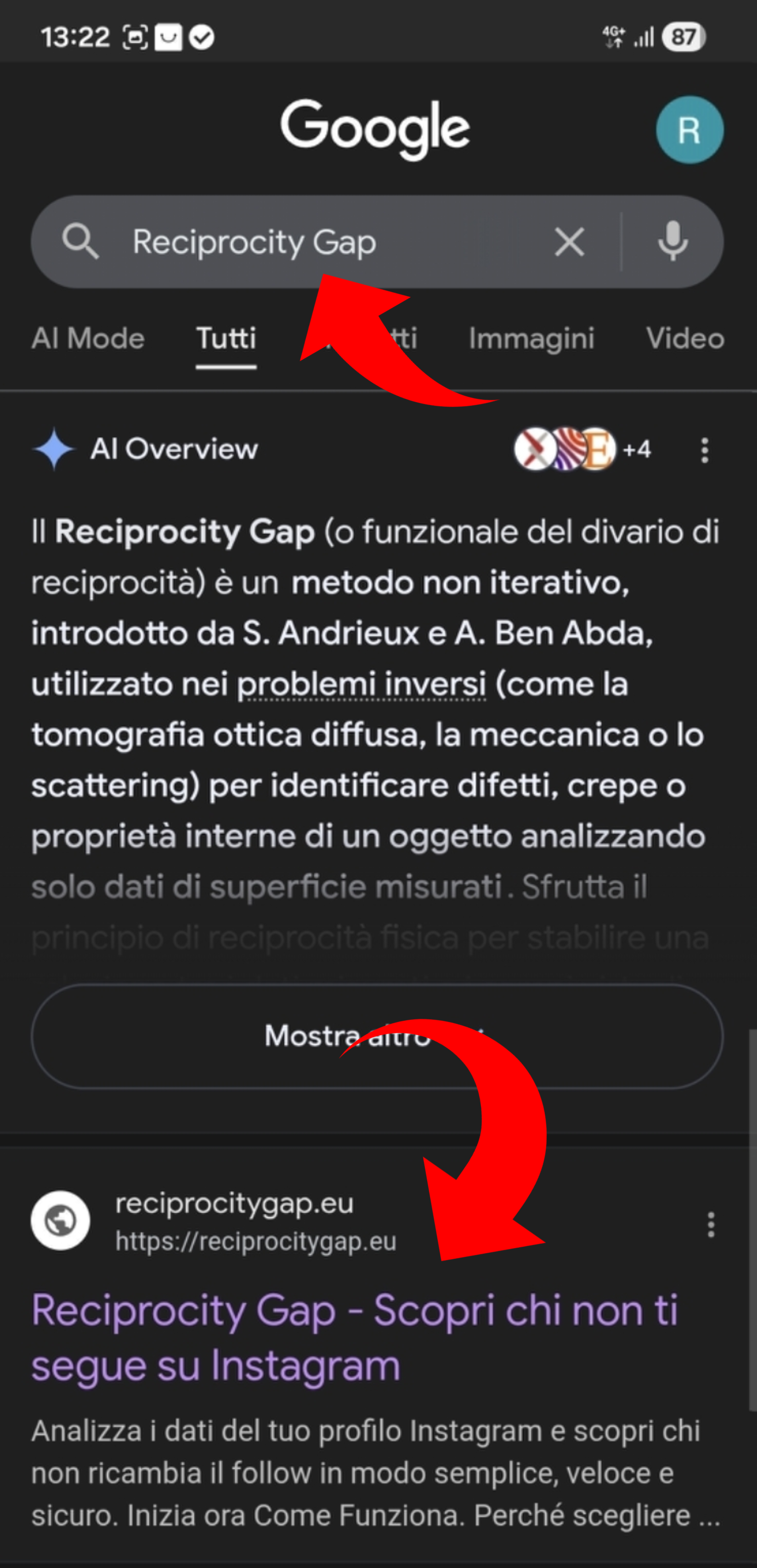
Search Google for "Reciprocity Gap"
- 1: Open Reciprocity Gap from the link in the top search results (or from our Instagram profile bio)
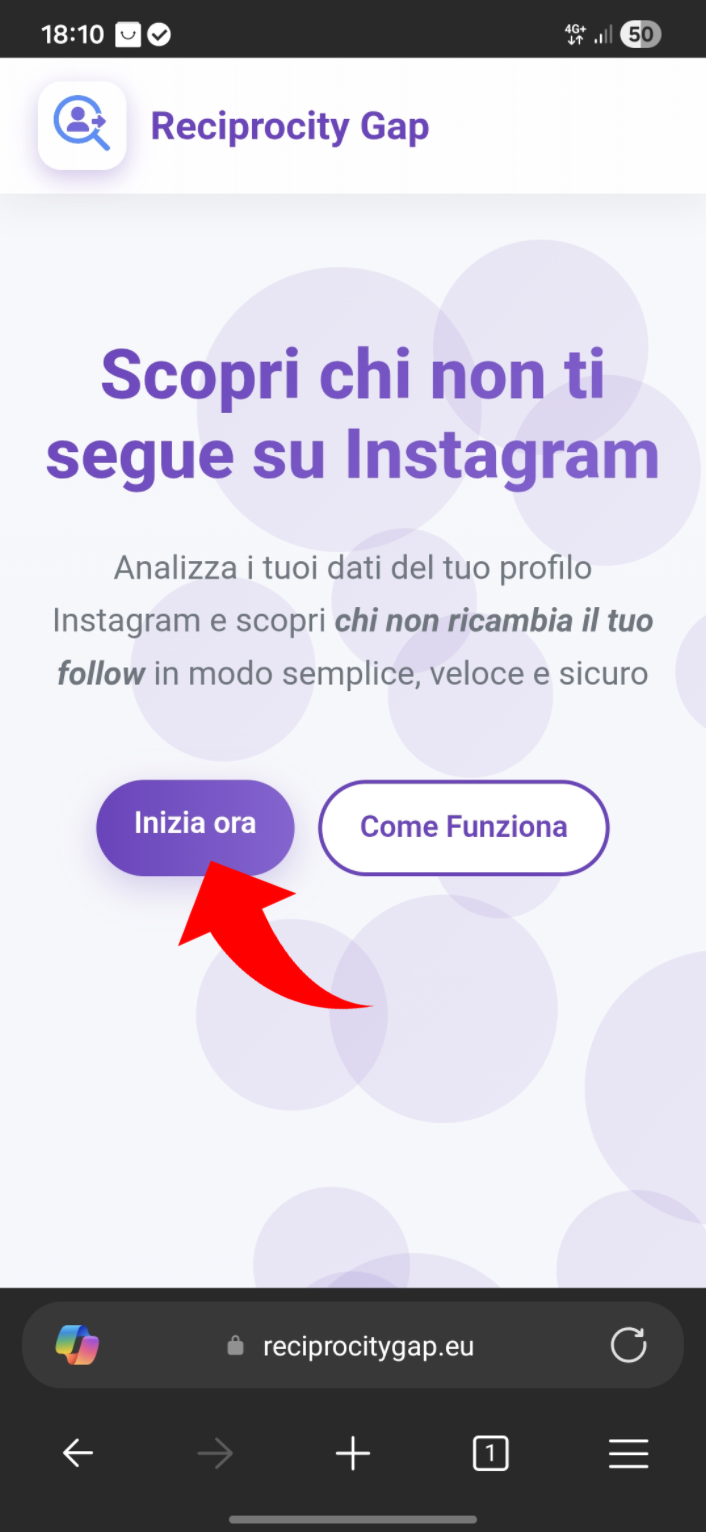
Go to login
- 2: Tap "Start now" to reach the login page
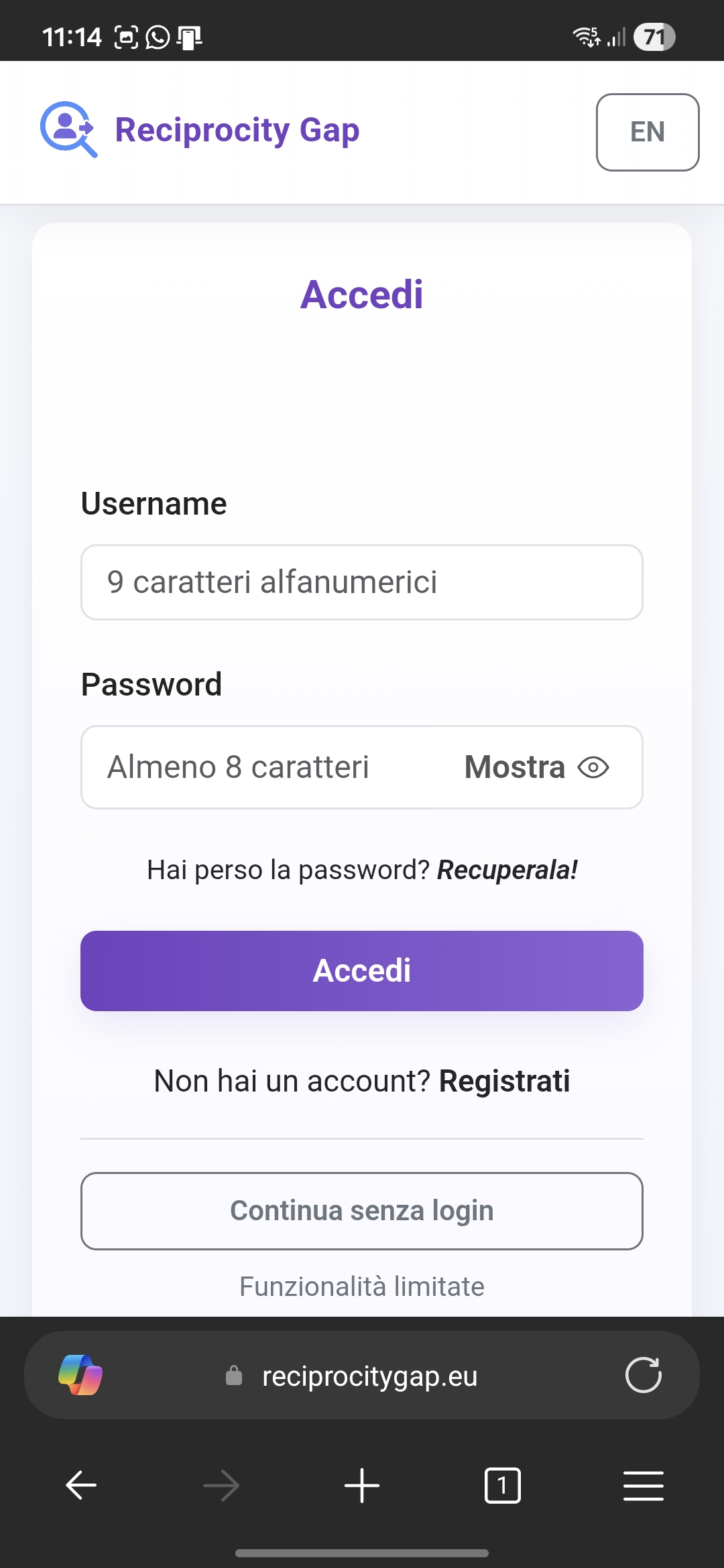
Login or continue as guest
Upload the ZIP and analyze
- 3: Upload the exported ZIP file
- 4: Wait for processing
- 5: Explore results and find who does not follow you back
Ready to start?
Quickly find who unfollowed you with full privacy and security
Start the analysis now